Free BitTorrent client software
Deluge is a free application that you can use to download torrents. Deluge is a cross-platform app with a peer-to-peer network to share and download files. You can download the Deluge torrent client on Apple Mac, Linux, and Microsoft Windows PC operating systems. As the app is lightweight, Deluge launches and runs quickly.
Top Recommended Alternative

Alternative apps like BitTorrent and uTorrent are the most popular torrenting tools that are both developed by BitTorrent Inc. While the free versions include advertisements, you can pay for the programs to get an ad-free user experience. If you are looking for an ad-free alternative, try qBittorrent which is an open-source P2P client.
Is Deluge better than uTorrent?
Deluge is safer than uTorrent. While uTorrent has adware, Deluge is a freeware app. Since only the Pro version of uTorrent gives you an ad-free experience, the free edition of uTorrent is filled with advertisements that can download unwanted services that run in the background. Since Deluge has a clean user interface that does not show ads, the risks are much lower with Deluge.
Is Deluge safe to use?
Deluge is safe app to use as the platform is open source and the source code is published within the terms of the GNU GPLv3+ license. If you have any doubt, you can check the code to make sure Deluge is secure enough for you. Since developers can make variations of the original project, the app should be downloaded from a reliable source.
Deluge is written in the Python programming language. The software uses the libtorrent library. There are three user interfaces available that let you use the GTK interface for the desktop, the console for the command line, and a web UI for the web browser.
Virtual Private Networks make torrenting safer. For an additional layer of security, you can use a VPN while torrenting with Deluge to make sure that your connection is secure. NordVPN is a safe VPN service that you can use to torrent. Nonetheless, Deluge is reliable whether you want to use a VPN or not.
How do I use Deluge?
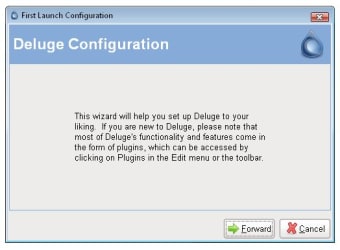
Follow the setup prompts to install Deluge. The installation process will let you choose whether to associate torrent files and magnet URI links with Deluge. Since Deluge is an app that's light in size, the installation is quick. A security alert may appear from Windows that you can confidently press ‘Allow access’ to launch Deluge.
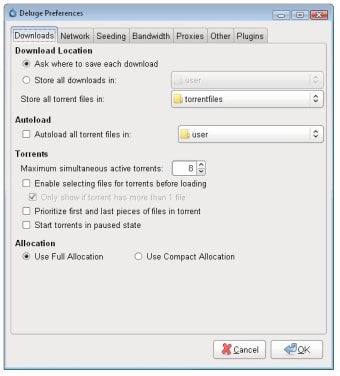
While Deluge delivers the essential services, you can install plugins to get more features. You can do so with the ‘Edit’ tab in the menu bar to open ‘Preferences’. A list of default plugins is available in the ‘Plugin’ area. The official website has a large library of third-party plugins that's available to download for free.
You can tap the ‘Rescan Plugins’ button to refresh the list. A brief description will be beneath the highlighted services. Mark the box next to the features you want to enable. The plugins will appear in the left panel once they are enabled and can click on each tab to manage the services.
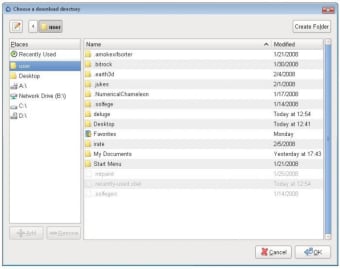
A separate window will appear when you download torrents. You can verify the title of the torrent before you click on the ‘Add’ button. The torrent will transfer to the main user interface to begin downloading after you press ‘Add’. You can click on the green up and down arrows to rearrange multiple torrent downloads.
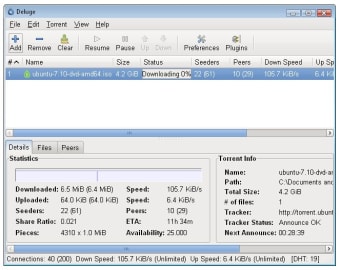
Deluge shows you the basic torrenting information. You can highlight downloads to see the status info where the download and upload speeds will be shown. Additional tabs at the bottom of the window include ‘Details’, ‘Files’, ‘Peers’, and ‘Options’. Deluge lists the active trackers in the left panel. You can pause and resume the downloads by clicking on the images in the icon bar or right-clicking to open the context menu.
Effective platform to safely torrent
Deluge is a simple app that has a full suite of features in an easy-to-use interface. You can manage settings for the network, bandwidth, daemon, and proxy in the ‘Preferences’ menu. Deluge includes DHT, Local Peer Discovery, NAT-PMP, Peer Exchange, Protocol Encryption, UPnP, and Web seeds support. If you experience any troubles with Deluge, then you can look at the user guide on the official website for help.
What’s new?
Deluge does not receive frequent software updates. Since ads are not used to make money, you can support the Deluge team with future updates with a donation. A development page is available on the website to help developers improve the user experience.